
Get Started with Standards Tracking
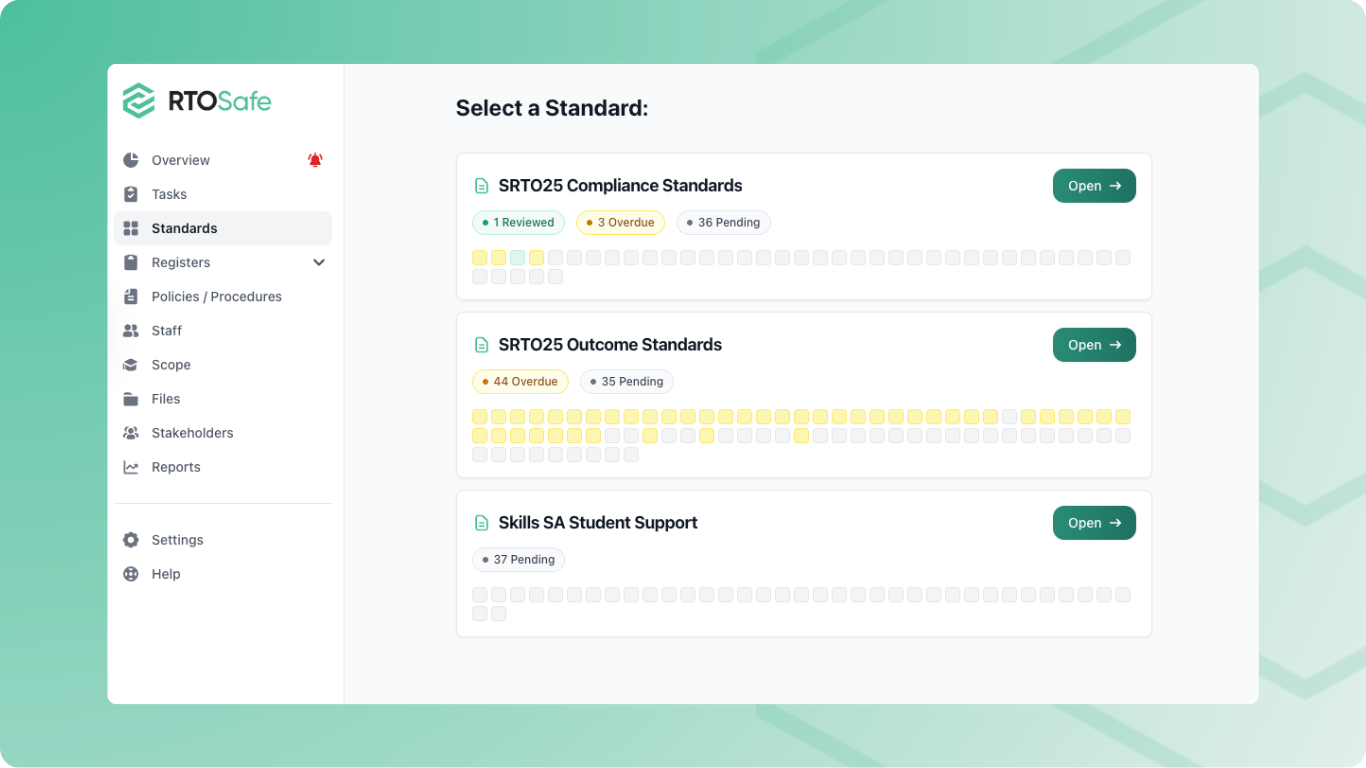
The Standards section helps you track how your RTO meets each requirement in your chosen standard set. You can review each clause, link evidence, and identify gaps in your policies.
What You Can Do
- Review clauses: record whether each clause is on track or needs action
- Link evidence: link the controls, policies and evidence that show how you meet a clause
- Find gaps: see which parts of a clause your controls don’t cover yet
- Schedule reviews: get reminded to review clauses periodically
Navigating the Standards Section
1
Select a standard set
Go to Standards and choose one of your active standard sets.
2
Browse clauses
Clauses are grouped by Standard, with each clause’s status and next review date.
3
View a clause
Open a clause to see its full text, your linked evidence and its review history.
Understanding Compliance Status
Each clause shows whether it:
- Has been reviewed and is on track
- Needs action
- Hasn’t been reviewed yet
- Is overdue for review
The totals at the top show where to focus.
Next Steps
- Review a Standards Clause — Mark clauses as reviewed or needing action
- Link Evidence to a Standards Clause — Link the controls, policies and evidence behind a clause
- Use the Clause Assistant — Find and link the policies that cover a clause
- Run a Gap Analysis on a Clause — Check how well your controls cover a clause