
Set Up Reporting Lines
Every staff member in RTOSafe has a position. Reporting lines connect those positions — who reports to whom — so RTOSafe can draw your organisation structure for you and keep it up to date as staff come and go.
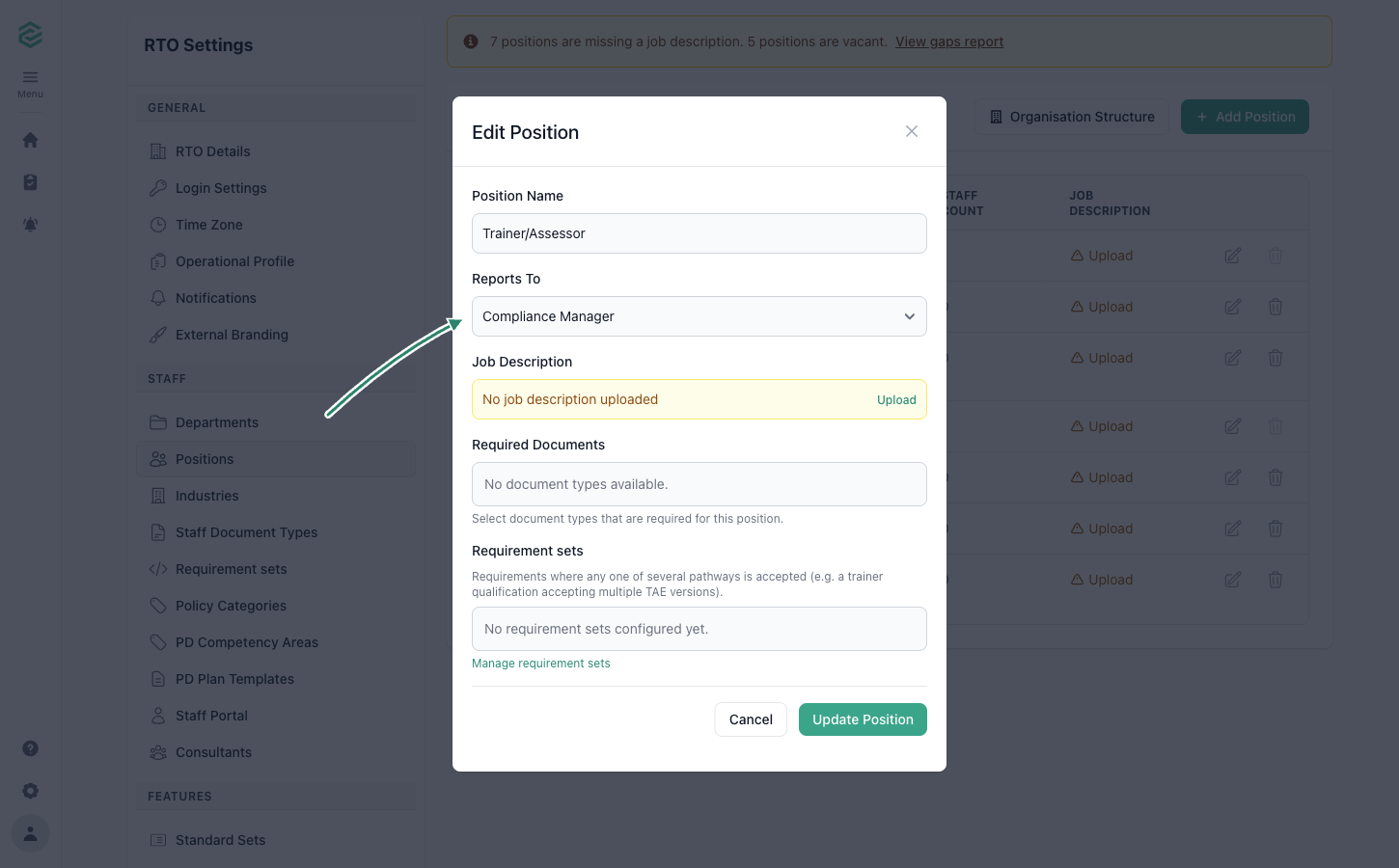
Steps
Go to Positions (under Settings)
Select Edit on a position
Choose who it answers to in Reports To
Leave it blank for your most senior position (usually the CEO) — that position sits at the top of the chart.
Select Save, then repeat for your other positions
See Your Organisation Structure
Once your reporting lines are set, go to Reports → Organisation Structure to see the chart. Each position shows the staff currently in it, and positions with nobody in them are flagged as Vacant.
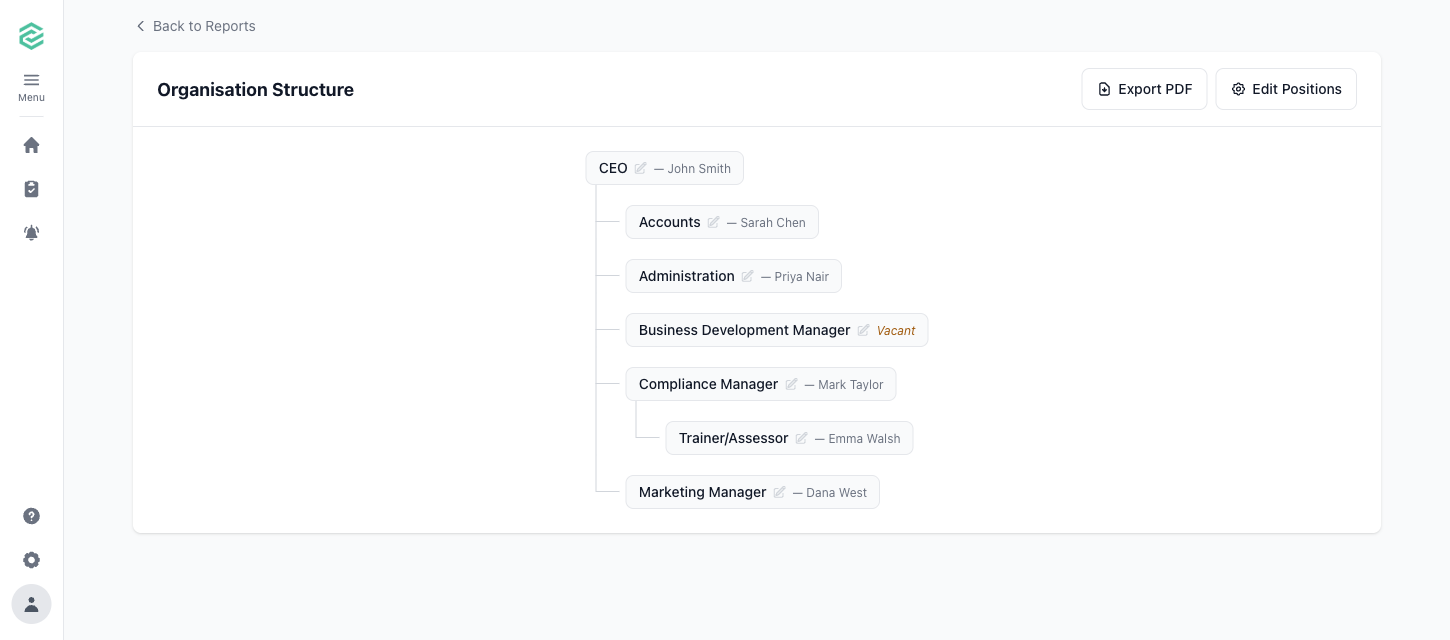
Spot something wrong? Select the pencil icon on any position in the chart to fix its reporting line without leaving the page.
Select Export PDF to download the chart — handy for induction packs, audit evidence, or your next staff meeting.
What Happens Next
- The chart updates automatically — when someone joins, leaves, or changes position, you don’t need to redraw anything
- Staff appear under a position based on the Position field on their staff record (see Add Staff)
Common Issues
"This would create a circular reporting line"
Two positions can’t report to each other, even indirectly (for example, A reports to B, and B reports back to A). Follow the chain of Reports To selections and change one of them so the chain always leads up to your top position.
A position shows as Vacant
Nobody active is assigned to that position. To fill it, go to Staff, select the person, and set their Position under Personal Details. The Vacant flag clears as soon as someone is assigned. If the role is genuinely unfilled, the flag is doing its job — it’s a handy prompt for recruitment planning.
A position is sitting at the top of the chart that shouldn't be
Its Reports To is blank, so RTOSafe treats it as a top-level position. Edit the position and choose who it reports to.
What happens to reporting lines when I delete a position?
Any positions that reported to it move up to report to the position above it, so your chart stays connected. You can’t delete a position while active staff are assigned to it — move them to another position first.