
Managing PD Plans and Goals
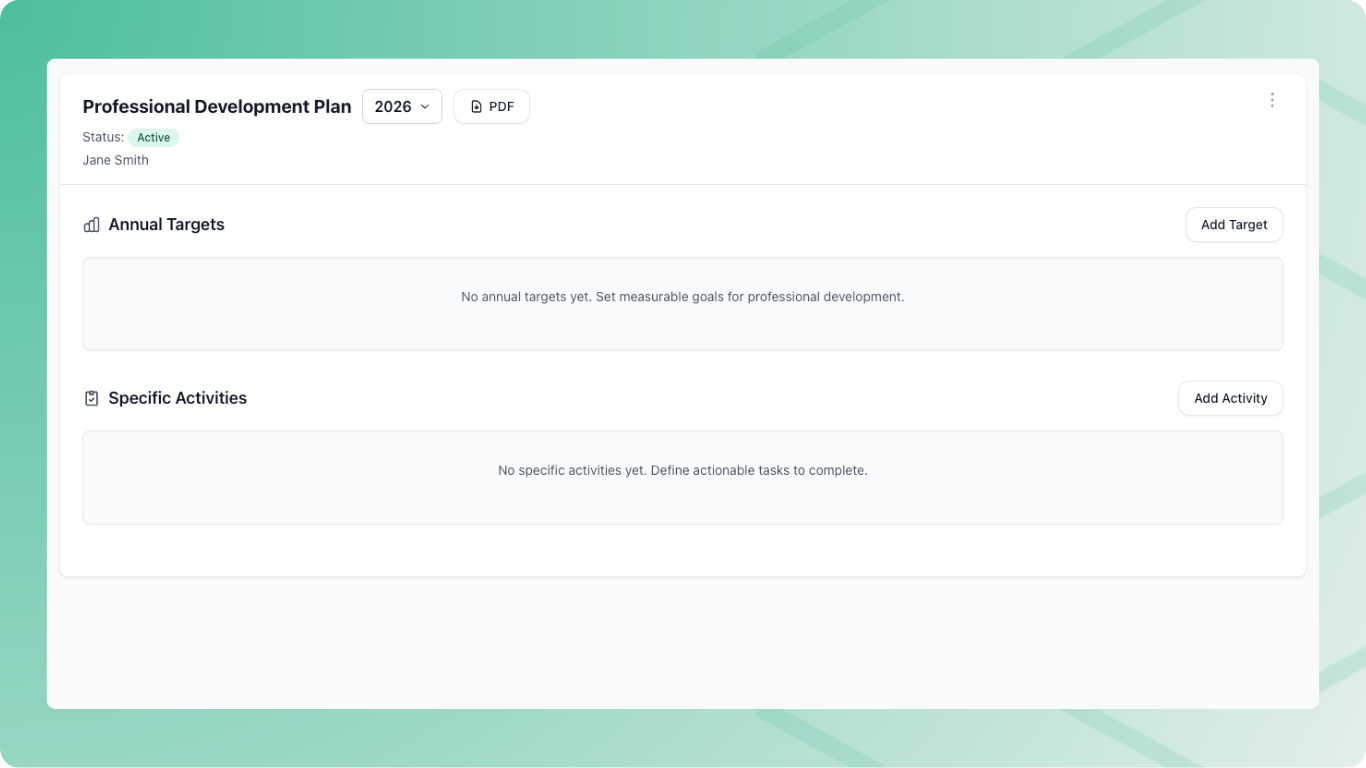
A PD plan sets out what professional development each staff member should complete during the year, and shows how they’re tracking. Instead of chasing certificates at audit time, you have a live record of what was planned, what was done, and the evidence behind it.
Find everything under People & Engagement → Professional Development, where the Overview shows PD hours logged by department and competency area, and highlights areas that are planned but have nothing logged yet.
Goals That Fit How You Work
Each plan is built from three kinds of goals:
- Annual Targets — ongoing goals measured in hours or activities, like “10 hours of industry currency this year”
- Specific Activities — a single task with a due date, like “Complete First Aid refresher by 31 March”
- Development Goals — a capability you want someone to build, with a target date, a success measure and any support they need
Progress updates automatically as activities are approved, and plans and goals show whether they’re On Track, Behind, At Risk, Overdue or Complete. Templates and roll-forward let you reuse goals across staff and from one year to the next.
See Creating PD Plans and Using PD Plan Templates.
Support Performance Objectives
Development Goals turn the outcomes of a performance conversation into a plan you can follow up. Where performance objectives set out what someone needs to achieve, a Development Goal captures the capability they need to get there — and how you’ll know it’s in place.
If you use the Meeting Register, you can add a Development Goal straight from a Performance Review meeting agenda. It lands in the staff member’s plan and stays linked to the meeting. When the target date comes around, you record whether it was achieved and how that was demonstrated, with your name and the date.
Staff and Admins Both Add Activities
PD evidence doesn’t have to flow through one person.
- Admins can add activities on any staff member’s profile — useful for in-house training or when you’ve received certificates directly. See Recording and Approving PD Activities.
- Staff can log their own activities in the Staff Portal under My Professional Development, upload evidence, and link each activity to a goal in their plan. See Add a PD Activity.
Staff see their current plan, what’s due next, and anything that needs their attention — so they know what’s expected without having to ask.
Shared Activities
When a group of staff all need to complete the same thing — mandatory training, a new policy briefing, a moderation workshop — set it up once as a Shared Activity and assign it to the people or departments involved.
Each person gets it in their own plan, records their own evidence, and you can see at a glance who’s complete and who’s overdue. Update the shared activity and every assigned plan updates with it.
Just need a one-off copy in a few plans? You can do that too. See Copied or Shared Activities.
Approval and Alerts
Every activity goes through a review before it counts, so your PD record is something you can stand behind.
- New activities are set to
Waiting for Approvaland appear in the Awaiting Approval tab - A compliance admin approves the activity, or requests changes with feedback
- Staff are emailed either way, and get a weekly reminder if a returned activity hasn’t been updated
- Only approved activities count toward plan progress and currency
Dashboard alerts flag activities waiting for review, plans with incomplete goals from past years, and trainers who’ve fallen below your currency benchmark — so gaps surface early, not in the week before an audit.
See Recording and Approving PD Activities.
Trainer Currency Benchmarks
Your PD policy sets out how you keep trainers current. The Trainer Currency benchmark puts that policy into RTOSafe, so you can see who meets it.
You set two organisation-wide benchmarks:
- Industry currency — checked for each unit a trainer delivers, using PD activities and industry roles linked to that unit
- VET currency — checked for each trainer, using PD in the Training & Assessment Skills competency area
The same approved activities that build progress in a PD plan also count toward currency. Trainers can see their own status in the Staff Portal under My Currency, including which units need attention and when their currency next lapses.
See Setting Trainer Currency Benchmarks.
PD Reporting
Reports show what PD has been done, where it’s focused, which plans are overdue and which trainers are below your currency benchmark. You can export activity lists to Excel, and plans and trainer matrices to PDF, so evidence is ready when leadership or an auditor asks.