
Reporting on PD
PD reports answer the questions leadership and auditors ask: what PD has been done, where it’s focused, and whether every trainer is current. You don’t need to build a spreadsheet to answer them.
Find all of these under Reports. Only approved activities count toward progress and currency.
At a Glance
The Overview tab in Professional Development shows PD hours logged by department and competency area, highlights areas that are planned but have nothing logged yet, and breaks down approved hours by type of development. The Plans tab lists every plan with its status and progress.
Which Report to Use
| Question | Report |
|---|---|
| What PD has been done, and by whom? | Activities |
| Where is each staff member’s PD focused? | By Competency Area |
| Which past plans still have unfinished goals? | Overdue Plans |
| Which trainers are below our currency benchmark? | Trainer Currency Gaps |
| What evidence does a trainer have for their scope? | Trainer Matrix |
| Where is PD or employment missing against scope? | Trainer Industry Evidence |
Activities
A list of every PD activity with its date, staff member, type, competency area, status and hours. Export it to Excel for board reports or to check what’s still waiting for approval.
By Competency Area
Shows how many activities each staff member has in each competency area. Use it to spot staff whose PD is all in one area, or who have none in Training & Assessment.
Overdue Plans
Lists plans from past years that still have incomplete goals, so nothing quietly rolls over unfinished. Your dashboard alerts you when there are overdue plans.
Trainer Currency Gaps
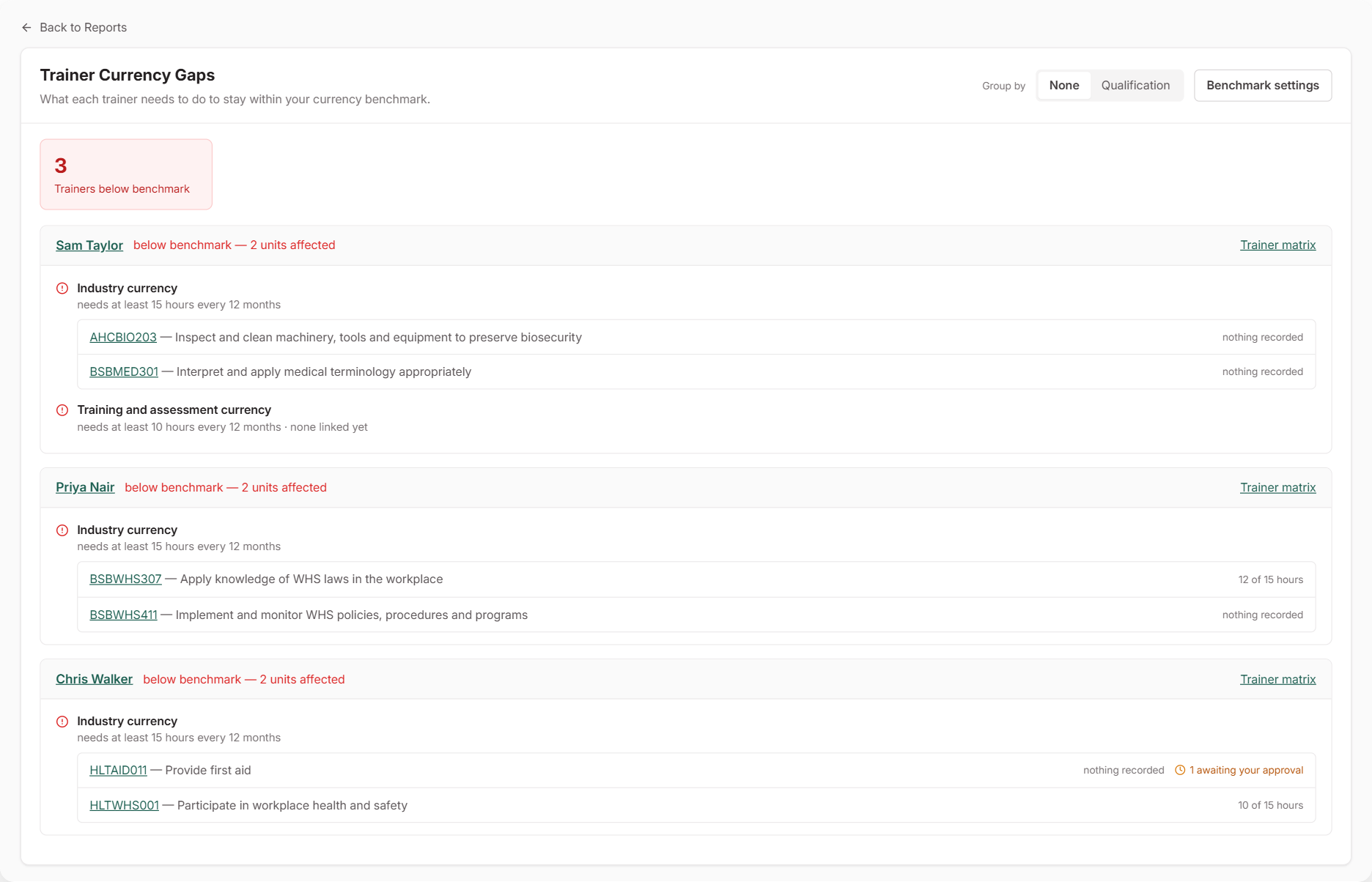
Shows each trainer who is below your currency benchmark, about to lapse (within 60 days), or needs employment re-verified. It also lists the units affected and what the trainer needs to do. See Setting Trainer Currency Benchmarks.
Trainer Matrix
A trainer’s qualifications, industry experience, PD and documents, mapped against the units they deliver and ready to export as a PDF. See Generating the Trainer Matrix.
Exporting Individual Plans
To share a single staff member’s plan, open the plan and export it to PDF. Staff can also download their current plan from the Staff Portal.