
Run a Gap Analysis on a Clause
A gap analysis looks at the controls linked to a clause, the ongoing activities your RTO carries out. It shows which parts of the clause they cover and which parts aren’t covered yet. It’s a prompt for your own review, not a compliance verdict.
When to Use This
- Before you review a clause, to see where to focus
- After you link new controls, to check what’s still missing
- When preparing for an audit, to find weak spots before an auditor does
Run a Gap Analysis
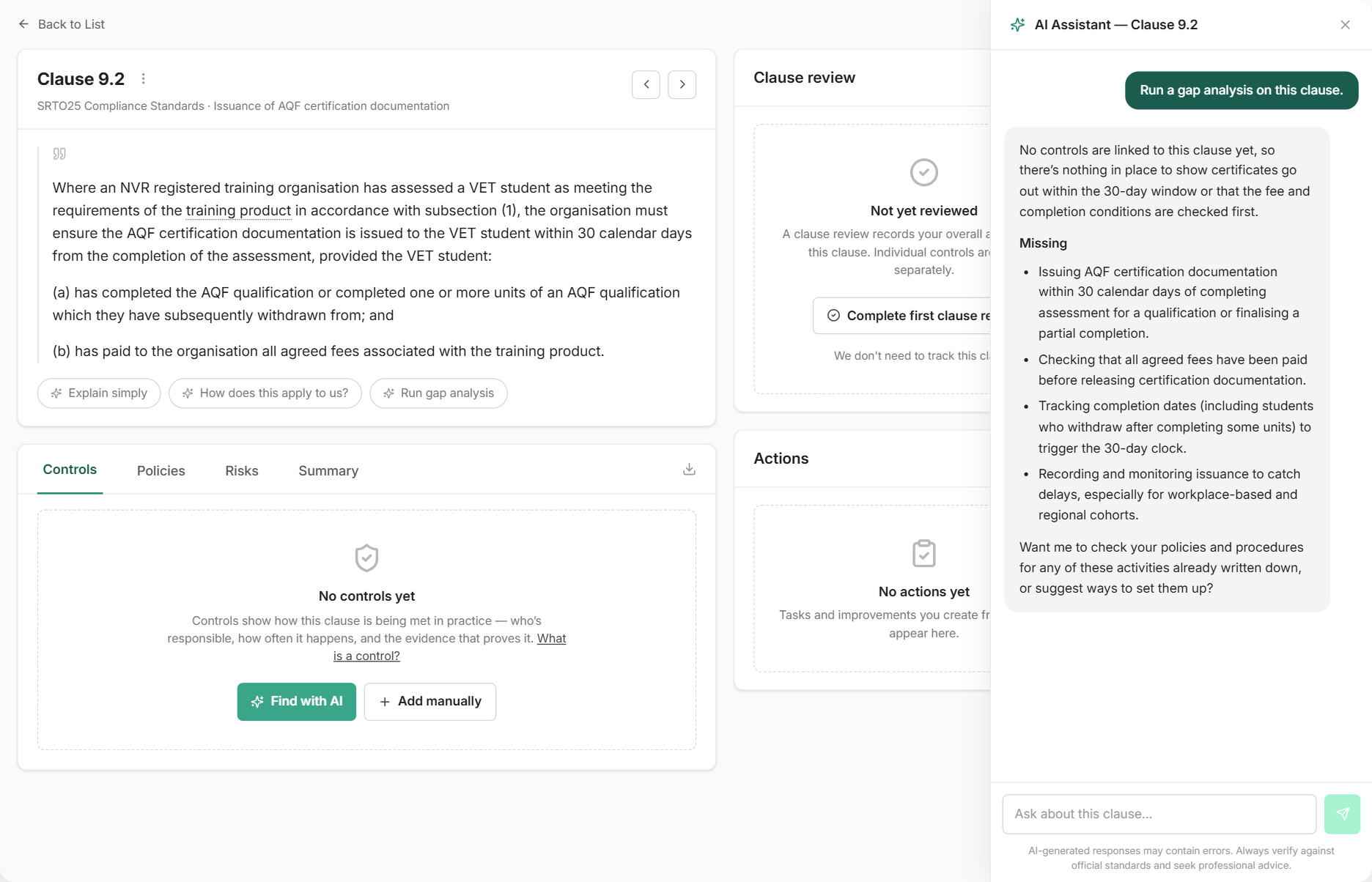
Open a clause from Standards and select Run gap analysis under the clause text. The clause assistant opens and replies with:
- Covered: the parts of the clause your linked controls already address
- Missing: what your RTO would need to be doing to cover the rest
- Worth fixing: controls that don’t belong on this clause, or that have no policy or procedure behind them
If nothing is linked yet, it lists what your RTO would need to be doing. To link controls you already have first, select Find with AI on the Controls tab.
What Happens Next
If something is missing, the assistant can look for activities your policies already describe, or suggest ways to cover the gap as new controls or continuous improvements. You review each suggestion before anything is created. Run the gap analysis again once you’ve made changes.
See Gaps Across a Standard Set
To see which clauses need attention across a whole standard set, use the Standards Coverage report. It shows which clauses are missing controls or policies, or are overdue for review.
Common Issues
The gap analysis ignores my linked policies
That’s expected. It judges controls, because a control shows the activity is actually carried out. Policies count when they back a control. To link more policies, see Use the Clause Assistant.
A control I linked isn't counted
Inactive controls aren’t counted, because they aren’t running. Check the control’s status in the Controls tab.