
Manage an Independent Review
If an appellant isn’t satisfied with your outcome, they can ask for the appeal to be reviewed by someone outside your RTO. The request, the independent reviewer’s finding and your final decision all stay on the same appeal record.
Standard 2.8 requires your appeals management system to provide avenues for review by an independent party, if requested by the appellant, at no or low cost to the appellant. ASQA’s practice guide also expects students to be made aware of these avenues, including any costs associated with them.
When an Appellant Asks for a Review
The outcome email lets the appellant ask for an independent review online. When they do, the appeal reopens as Independent Review and RTOSafe lets you know. Your final decision is due within the independent review timeframe set in your appeals settings, and the appellant is told the date.
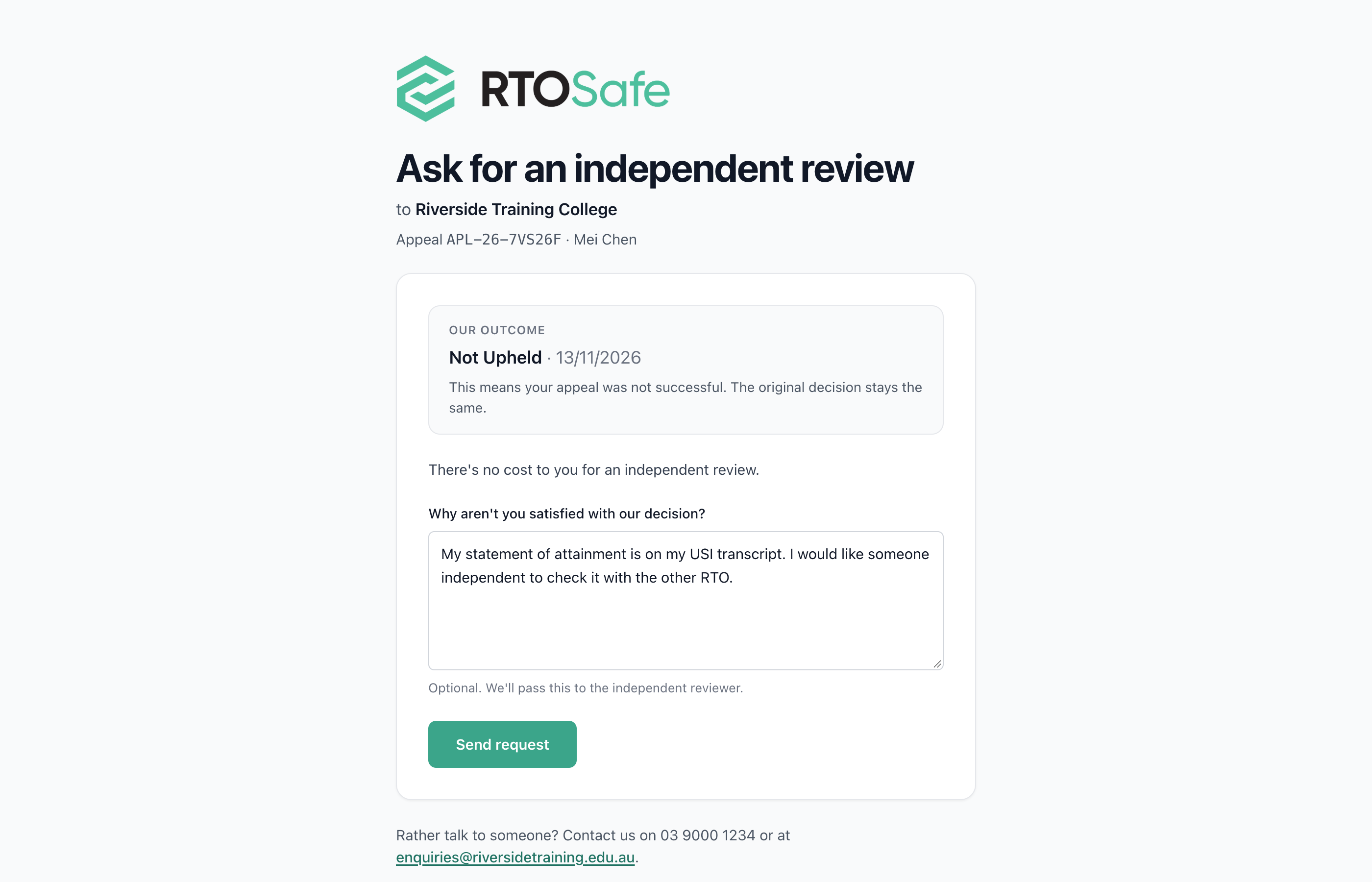
If they ask by phone, email or letter instead, open the appeal and select Refer to Reviewer.
Steps
Send the appeal to the reviewer
Send the appeal and its documents to the independent reviewer yourself. RTOSafe doesn’t contact them.
Mark it as referred
Select Refer to Reviewer and choose the reviewer. The appellant is told who is reviewing their appeal.
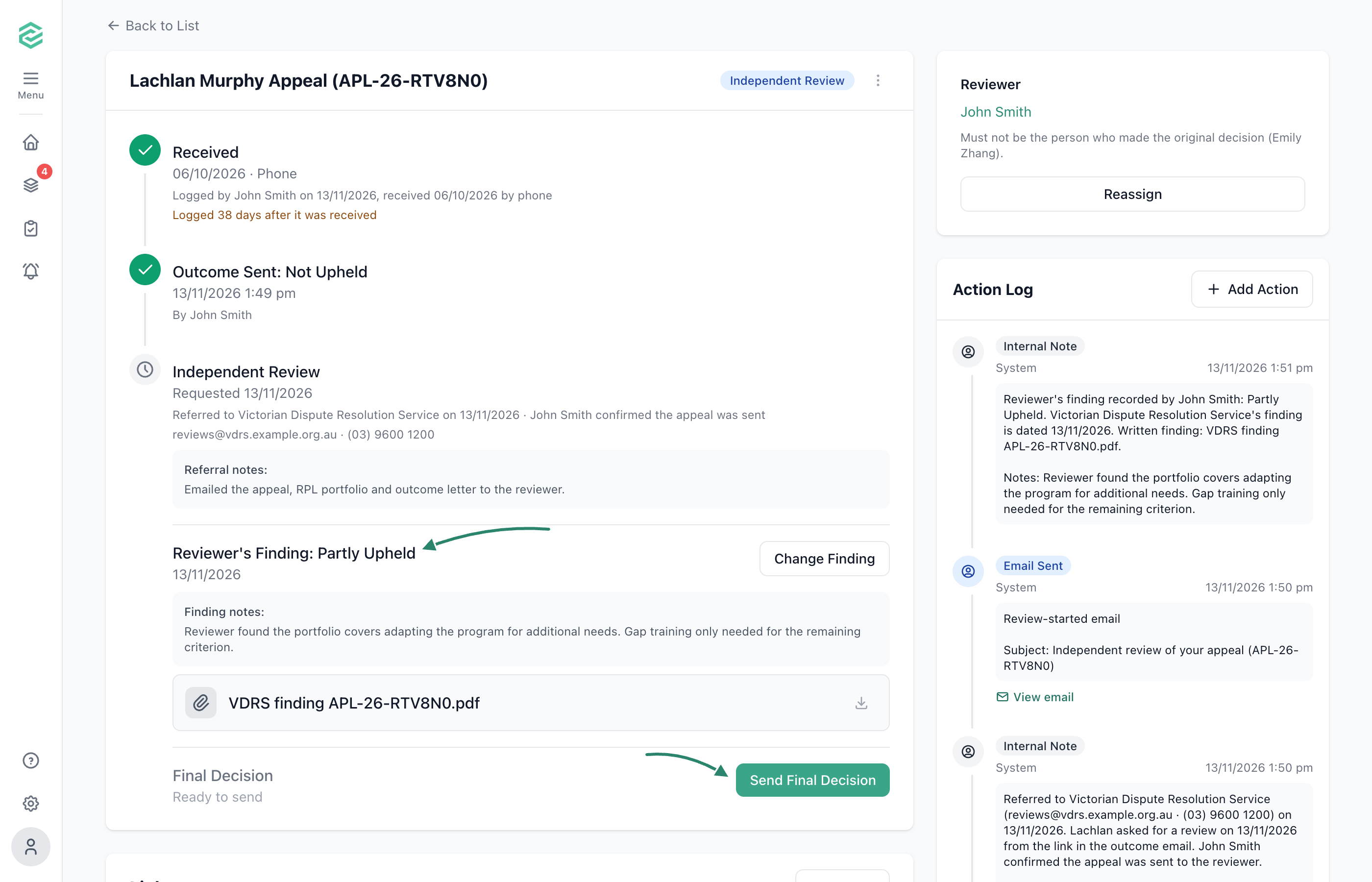
Record the reviewer’s finding
When the independent reviewer reports back, select Record Finding and upload it.
Send your final decision
Select Send Final Decision before it’s due and explain your decision. Follow what your appeals policy says about the independent reviewer’s finding.
What Happens Next
The appeal closes again, and the appellant is emailed your final decision. The whole review stays on the appeal and in its PDF export.
Common Issues
What if the appellant changes their mind?
Before referral, select Withdraw Request on the appeal. After referral, record the finding and final decision as Withdrawn. Either way, your original outcome stands.