<!-- RTOSafe Help — rendered version: https://rtosafe.com.au/help/incidents -->

# Manage Incidents and Near Misses

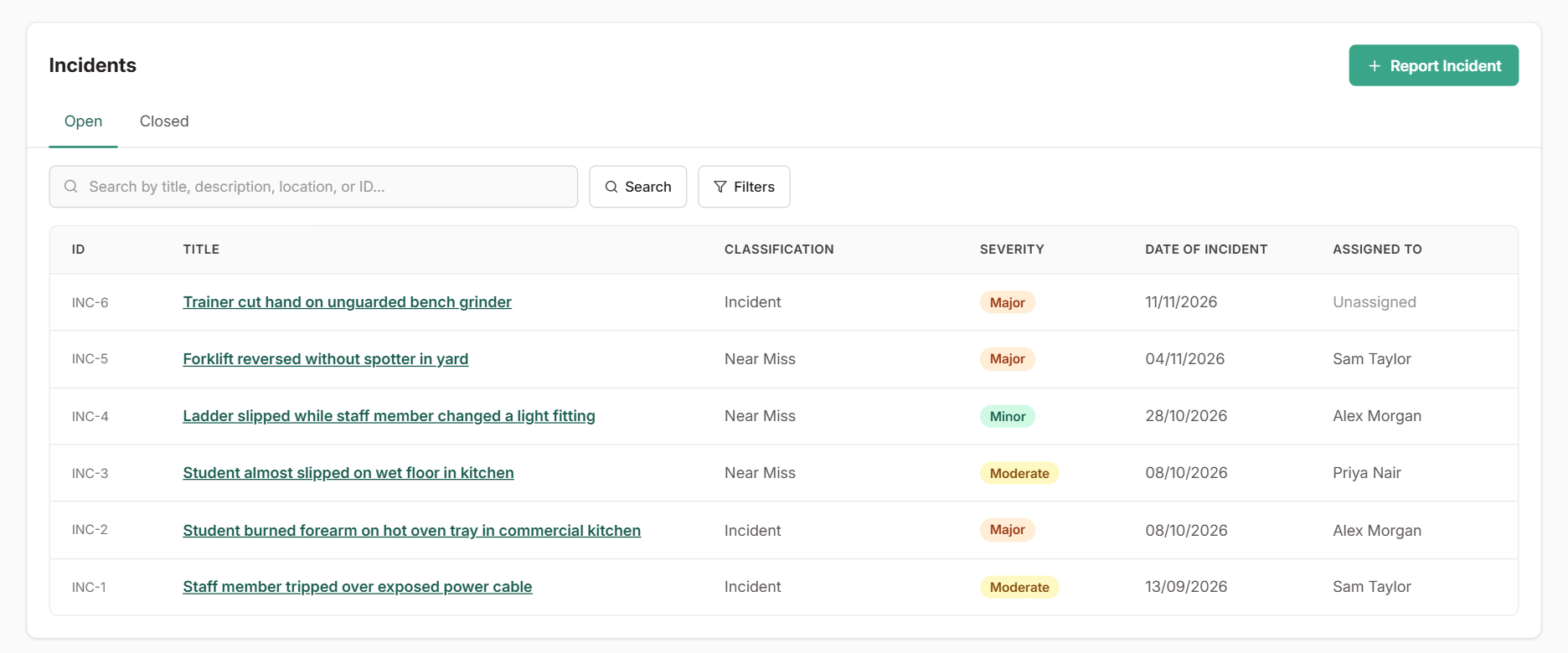
The [**Incidents**](https://app.rtosafe.com.au/Incidents) register holds every incident and near miss in one place. You can see who is handling each one, what was found and what was done about it. Reports come from staff in the Staff Portal, or from admins who select **Report Incident**. You can also report one from a feedback, complaint or appeal record, and the two stay linked.

<figure><img src="/help/assets/incidents-1.png" alt="The Incidents register listing open incidents and near misses with who each is assigned to, and the Report Incident button"><figcaption></figcaption></figure>

***

## Steps

<div class="help-stepper">

<div class="help-step">
<div class="help-step-number">1</div>
<div class="help-step-content">

**Assign an owner and begin the review**

Open the incident and select **Assign** to choose who will look into it. Then select **Begin Review** to move it to `Under Review`.

Staff report what they saw without rating it, so setting the category and severity is part of your review.

</div>
</div>

<div class="help-step">
<div class="help-step-number">2</div>
<div class="help-step-content">

**Record the investigation**

Select **Update Investigation** and record what you find as you go:

* The root cause
* The corrective actions
* Whether the incident is notifiable to a regulator

If someone under 18 was involved, record your child safety follow-up too. The **Investigation Checklist** shows what's still missing.

</div>
</div>

<div class="help-step">
<div class="help-step-number">3</div>
<div class="help-step-content">

**Log what you do**

Use **Add Action** to record these as they happen, with any files:

* Calls
* Emails
* Meetings
* Decisions

</div>
</div>

<div class="help-step">
<div class="help-step-number">4</div>
<div class="help-step-content">

**Follow up in the right place**

For follow-up work, such as replacing equipment, updating a procedure or tracking an ongoing risk, create or link one of these in the **Actions** section:

* A task
* A continuous improvement
* A risk

That work then has its own owner and due date, and links back to the incident.

</div>
</div>

<div class="help-step">
<div class="help-step-number">5</div>
<div class="help-step-content">

**Close the incident**

When the investigation is complete, edit the incident and set **Status** to `Closed`. You'll need to have decided whether it's notifiable before you can close it.

</div>
</div>

</div>

***

## What Happens Next

* The incident moves to the **Closed** tab. Use **Reopen** from the menu if it needs more work.
* Linked tasks, improvements and risks carry on independently.
* Incidents assigned to you appear in [My work](/help/my-work).

***

## Common Issues
<details>
<summary><strong>Why can't I close an incident?</strong></summary>
Part of the investigation is still blank. Check the <strong>Investigation Checklist</strong>, fill in what's missing, then close it.
</details>

<details>
<summary><strong>What if a report should have been a hazard?</strong></summary>
If nothing happened and it's an ongoing unsafe condition, report it in <a href="/help/hazards">Hazards</a> instead, then archive the incident from its menu.
</details>